
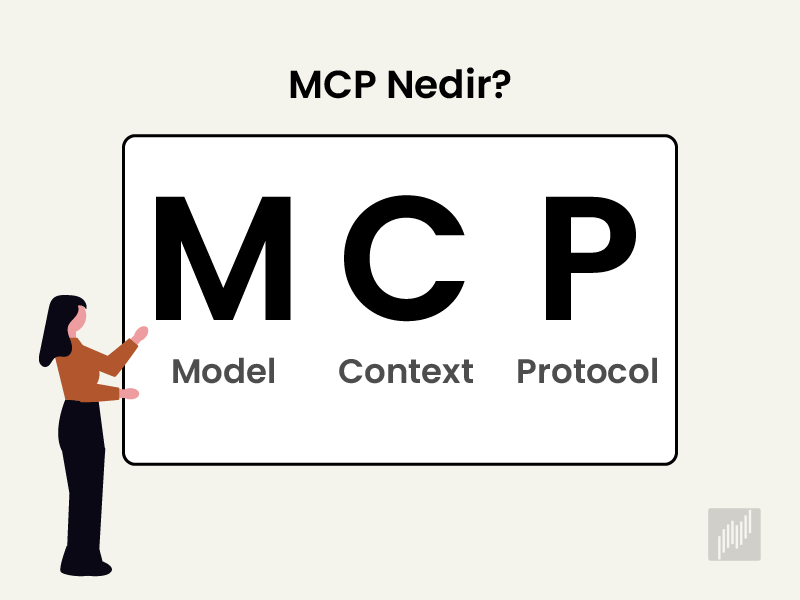
MCP is an open-source protocol that connects AI applications to outside data sources and tools. Announced by Anthropic in November 2024, it removes the need to write a separate integration for every tool. Thanks to MCP, models like Claude and ChatGPT can reach files, databases, and apps, and act on them directly.

What Is MCP and Why Do You Need It?
MCP, short for Model Context Protocol, is a shared communication standard that lets an AI model and external tools speak the same language. Through MCP, a model can see the tools a server offers at runtime, call them with the right parameters, and fold the result into its own answer. Anthropic introduced it in 2024, and it now works with many different models.
The Model Context Protocol is, in a sense, AI's doorway to the outside world. Large language models (LLMs) are strong in many ways, but they are limited to their training data. Without access to real-time information, company documents, or a database, they fall a step short in real workflows.
To get past that limit, developers spent a long time writing API integrations. The trouble was scale. Connecting three models to four tools means writing twelve separate integrations, and with ten models and twenty tools that number climbs to two hundred.
With MCP, you write one server per tool and one client per model instead. So twelve integrations become seven, and two hundred become thirty. People often compare it to a USB-C port, since MCP brings different systems together over one standard connection.
MCP grew into a wide ecosystem quickly. OpenAI adopted the protocol in March 2025, and Google DeepMind followed in April. The MCP registry on GitHub lists more than forty official servers, while the community registry holds over a thousand.
How Does MCP Architecture Work?
MCP architecture follows a client-server model and has three parts. The host is the app you interact with, the client is the connector layer that links to each server one to one, and the server reaches a file, database, or API and returns the data the model needs.
Each piece plays a clear role in how the protocol moves information:
The host is the main app you use, such as Claude Desktop or Cursor.
The client runs inside the host and manages the connection to each server.
The server is a service that goes to the relevant data source and returns the result.
In practice, the MCP client knows which tools the connected servers hold. The user asks a question, the host interprets it, and the model picks the tool it needs. The server runs the action and returns the result, and the model then produces a far more grounded reply with that real data.
A single host can run several MCP clients at once. That way, one assistant can pull data from different servers at the same time. Because each connection stays independent, the system stays tidy and easy to manage.

What Capabilities Does an MCP Server Provide?
An MCP server gives a model three capabilities. Tools are functions that let the model take action, resources are read-only data the model can pull in, and prompts are reusable templates for specific tasks. The server exposes these so any compatible client can use them.
When you build an MCP server, you hand the model these structures:
Tools are functions that run actions, like making an API call or adding a record to a database.
Resources are read-only sources, such as files and database schemas.
Prompts are ready instruction templates you can use again without rewriting them.
On the communication side, MCP carries its messages in JSON-RPC 2.0, a lightweight format for sending requests and responses. Two transport methods stand out. The stdio method suits local setups and starts the server as a subprocess on your own machine, while the Streamable HTTP method is the choice for talking to remote servers.
The client discovers a server's capabilities with a simple list command and calls the right tool when it fits. So when you add a new tool, the model can see and use it automatically, with no extra wiring on your side.
What Is the Difference Between MCP and an API?
MCP is a layer that makes your existing APIs and data discoverable to AI. With a classic API, you write separate code and security rules for each service, while an MCP server translates that same structure into one format every compatible client can read.
MCP complements an API rather than replacing it. When you write an API, only your team knows the endpoints and the authorization. To let a model use it, you also have to define a tool schema and parameter types. An MCP server standardizes that work and opens your services to AI without any new business logic.
MCP, Function Calling, and APIs Compared
Alongside MCP and APIs, there is also function calling. Function calling is a method where you describe ready-made functions to an AI model, and the model calls them itself when it needs to. It is specific to each AI provider, so you rewrite the definitions for every model. The table below compares the three approaches.
Feature | MCP | Function Calling | API |
|---|---|---|---|
Standard | Open and provider-independent | Provider-specific | Separate for each service |
Portability | The same server works with every client | Rewritten for each model | Each integration coded separately |
Tool discovery | Dynamic at runtime | Defined in advance | Manual documentation |
Reuse | Write once, use everywhere | Limited | Limited |
Typical use | Multi-client, scalable assistants | Simple, single-model flows | Classic software integration |
If you are building a narrow, simple chatbot, function calling may be enough on its own. But if you want a reusable, scalable setup that several assistants can connect to, MCP is the better fit.
What Are the Use Cases for MCP?
MCP use cases appear in any scenario where AI needs to do real work, not just talk. Enterprise data assistants, coding agents, personal productivity tools, and data analysis are among the main ones. Through MCP, models can read email, add calendar events, review a codebase, and generate reports.
Here are a few examples that show how useful the protocol can be:
Enterprise assistants can pull an employee's HR records and post an update in Slack.
Coding MCP agents can run build and test commands and read the relevant files.
Personal assistants can coordinate tasks across Gmail and Google Calendar.
Data analysis tools can pull figures from a table and reply with charts and statistics.
SEO specialists can report on their Search Console data in minutes.

Connect Your SEO Data to AI with the Semust MCP Server
The Semust MCP server connects your Google Search Console data to AI assistants like Claude and Cursor. Instead of opening a dashboard and exporting files, you ask your assistant directly. With thirteen ready tools, Semust MCP answers many SEO tasks in a single command, from listing keywords to analyzing content decay.
The Semust MCP server is published openly on GitHub and is free. The server runs on your own computer, so your Semust API key is never sent to Anthropic or any other third party. Claude only sees the answer to the request you make, and your raw data is not stored anywhere.
The server holds thirteen tools. Four data tools reach your Search Console data, and nine report tools answer specific SEO questions:
The list_projects, get_keywords, get_pages, and get_performance tools bring your keyword, page, and performance data with date, device, and country filters.
The cannibalization tool spots pages that compete with each other for the same query.
The content decay tool ranks pages that lost traffic in recent months by lost clicks.
The striking distance tool lists keywords close to page one, sorted by high impressions.
The monthly summary tool builds a monthly recap with winners, losers, and new rankings.
The questions tool surfaces the real user questions that bring you traffic.
The winner/loser, long-tail, low CTR, and thin content tools round out the set.
You can use several tools at once. When you ask your assistant for a full SEO audit, it can call multiple reports in sequence and summarize the result. This way, agencies can pull a monthly report within minutes before a client meeting, and content teams can find real user questions and turn them into blog topics.
Setting up Semust MCP takes a few steps:
Get your API key from the Semust panel.
Download the semust-mcp repository from GitHub and install the required packages.
Add the Semust entry to your Claude Desktop configuration file, or to the MCP Servers section in Cursor.
Restart the app, and you will see the Semust server and its thirteen tools in your tool list.
macOS, Windows, and Linux are supported, and Python 3.10 or higher is required. The server currently reaches Google Search Console data only, with support for Google Analytics, Google Ads, and Meta Ads coming soon.
Frequently Asked Questions (FAQ) About MCP
What does MCP stand for?
MCP stands for Model Context Protocol. It is an open standard from Anthropic that defines a shared way for AI assistants to connect to external tools and data, so models like Claude can reach files, databases, and apps without a custom integration for each one.
What is the difference between MCP and an LLM?
An LLM, or large language model, is the AI that generates text, but it only knows its training data. MCP is the protocol that links that model to live tools and data sources. The LLM does the reasoning, and MCP gives it access to act on real information.
What are the benefits of using MCP?
MCP removes the need to build a separate integration for every model and tool pairing. You write one server per tool and reuse it across many assistants. It also supports tool discovery at runtime, so a model can find and use new tools automatically as you add them.
What is an MCP vs an API?
An API connects two pieces of software with code written for each service. MCP sits on top, exposing your existing APIs and data in one format that any compatible AI client can discover and use. In short, MCP complements your API rather than replacing it.
You no longer have to get lost between dashboards to reach your SEO analysis. Try Semust free for 14 days, connect your Search Console projects, then set up the free Semust MCP server and let Claude or Cursor interpret your data right where you already work.

Ramazan Umutlu
Ramazan Umutlu is a digital strategist with 10 years of SEO experience and the founder of Semust. Driven by the vision of Semust—an initiative born from his deep-rooted passion for software development—he bridges the requirements of SEO with innovative solutions. His work primarily focuses on technical SEO, organic growth, and data analysis.